
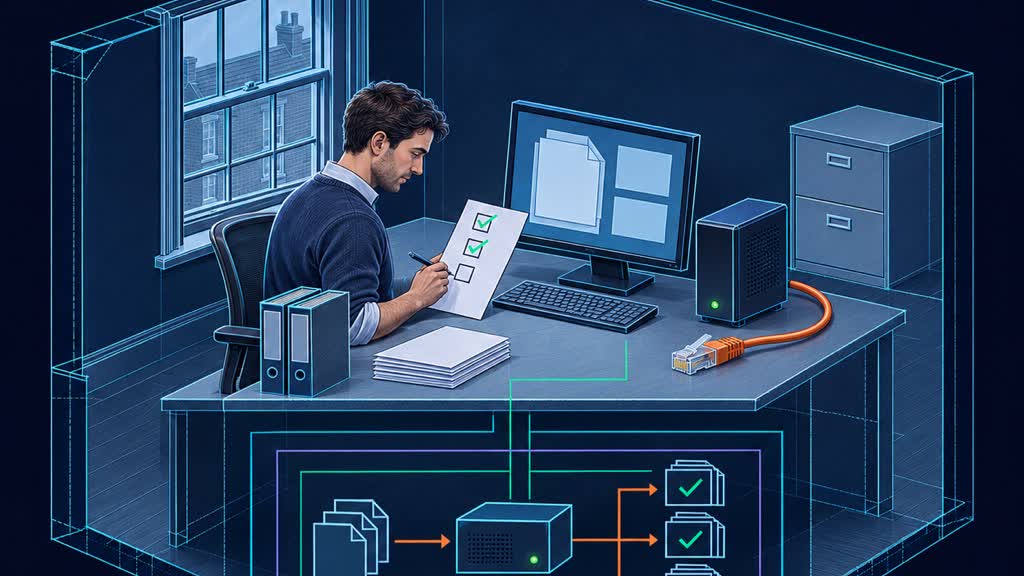
Unplugging the internet after a model is already running proves less than you think. Test whether your staff can start the application and finish the promised work.
A local model is not the same as an offline workflow
Your AI workstation can be sitting in your office and still need somebody else's server before it does useful work. The model might be local while document conversion, search, sign-in or a connected tool depends on the internet. That distinction matters if you bought local AI to keep working through a connectivity failure, or promised staff that a particular document task would stay within your network.
There is genuine value here, not just marketing. In its 12 October 2026 feature, Nature describes researchers' interest in private, offline AI, with neuroscientist Ian Gaudet as a named example. That establishes a real use case, not evidence that every local installation is independent. The publicly accessible introduction does not establish performance or security guarantees for your business.
Start by writing the exact promise you want to test. For example: an authorised employee can open an approved local application, load a specified model, summarise a locally held policy and save the result without external connectivity. That is a much more useful acceptance statement than “we have sovereign AI”. It identifies a person, a task, an input and an output.
Keep three questions separate. Where does processing happen? What services must be available? What controls protect the information? A workflow can satisfy one and fail another. A local document summariser that requires an online identity check may keep document processing local yet be unavailable during an outage. Conversely, an offline application can still expose files to another person using the same machine.
This article is about the second question: operational independence at start-up and during a defined task. For the separate processing-location question, see our guide to checking where UK AI processing happens. Neither claim should be inferred from the location of the computer alone.
Test the workflow's actual promise, not the word local on the box.
Ask for a cold start, not a reassuring live demonstration
The easiest offline demonstration starts with everything already running. A model is loaded, a user session is active, documents have been indexed and the browser has cached the interface. Disconnecting the internet at that moment proves something, but not that tomorrow morning's employee can start work under the same conditions.
Use a controlled cold-start test instead. On a non-production machine or an isolated test segment, have the responsible technician close the relevant application and restart its services, or restart the machine if that is the agreed scenario. Keep the normal local network available if the workflow relies on a server in your office. Block external connectivity through an approved method, rather than unplugging an entire business network during working hours.
The scope matters. An application restart tests different dependencies from a clean installation on replacement hardware. Both can be useful, but they should have separate results. Do not wipe working files to make a demonstration look rigorous. Preserve the prepared installation and use copies of non-sensitive sample documents.
LM Studio's offline documentation makes a helpful distinction: downloaded models, local document chat and its local server can work offline, while model discovery, downloads, runtime downloads and update checks require connectivity. A model file alone is therefore not the whole preparation checklist. Confirm that the required runtime is also installed.
What this means in practice is straightforward. Ask the supplier to start the same application your staff will use, open a fresh sample document that has not already been processed and save a new answer. Record time to first usable result, any error messages and any attempted external connections. A disabled update check need not count as a failed workflow if it is non-essential and fails safely. An endless loading screen before the user can reach their documents does count.
A running model surviving disconnection is not proof of an offline start.
Inventory the quiet dependencies before they surprise you
Map the path from opening the application to saving the completed work. Include authentication, model loading, document extraction, embeddings, retrieval, answer generation, logging and export. Mark each stage as local, internal-network dependent, external or not yet verified. The point is not to draw an impressive architecture diagram. It is to find the small component capable of stopping the whole task.
Two documented examples show why this is worth doing. Ollama's current FAQ supports a local-only configuration through OLLAMA_NO_CLOUD=1 or its server configuration. Disabling cloud features removes cloud models and web search. That is a specific product control, not a machine-wide firewall or a guarantee about every application connected to Ollama.
Meanwhile, Hugging Face documents HF_HUB_OFFLINE=1 for preventing HTTP calls to its Hub and using cached files. It explains that a normal download helper can still check for a newer file even when a copy is cached. Offline mode also raises an error when the required cached file is missing. A developer should verify the behaviour of the installed library version rather than assuming that yesterday's successful download covers every required asset.
Those examples are deliberately narrow. Neither setting disables a third-party document service, an external embedding endpoint or a browser extension. Nor does either prove that telemetry, error reporting or another library is configured as intended. Inspect the complete workflow and use approved network observations to test the claimed boundary.
What this means in practice: if you intend to summarise scanned PDFs offline, include the actual optical character recognition component in the test. If the task searches company documents, check both the stored index and the component that turns a new query into a searchable representation. A local language model cannot compensate for a missing upstream step merely by being installed nearby.
Local generation can still sit behind an external dependency.
Make offline mode useful without pretending it can do everything
The strongest counterargument is that most businesses do not need full offline operation. Their CRM, email, stock system and shared files already depend on connectivity. Spending heavily to remove every external dependency can deliver less value than a reliable connection and a sensible manual fallback. That is a fair objection. The right response is to narrow the promise, not make it grander.
Choose the small set of tasks worth preserving. A field engineer might need to question a downloaded technical manual. An office team might need to redact or summarise approved local documents. Neither example requires an offline assistant to know today's stock position or send messages through an unavailable cloud service. Present these as defined service modes, not a weaker version of an all-knowing assistant.
Set explicit information boundaries. Show which document collection is available, when it was last refreshed and which integrations are unavailable. A locally stored price list may support reference work but should not silently become authority for a current commercial quote. If a task requires a live value, the application should say it cannot verify that value and route the work appropriately.
Fresh commentary illustrates the distinction without settling it for you. Keypop's 4 November local AI guide describes offline office tasks and identifies separate local and cloud modes. It is a vendor's own guide, with vendor-run tests, not independent proof of suitability. Use the documented distinction as a question to investigate, not as a reason to repeat a blanket privacy or quality claim.
Also decide what happens when connectivity returns. A saved draft should not automatically become a sent email, accepted order or updated customer record simply because an integration reconnects. Keep pending actions visible and require the ordinary authorisation before external effects. Offline usefulness should preserve useful work, not accumulate a hidden pile of commitments that nobody has reviewed.
Offline mode should preserve defined work, not invent live information.
Keep an acceptance record that survives the sales conversation
Your acceptance evidence can fit on one page. Record the application and runtime versions, model identifier, prepared files, network conditions, test account, task and expected result. Add what actually happened, who observed it and which dependencies remained available. Include a clear distinction between passing offline inference, passing the complete workflow and passing a replacement-machine recovery exercise.
Set thresholds that reflect the job. For an illustrative internal policy-summary test, you might require all chosen sample documents to open, key policy exceptions to remain intact and outputs to save within the agreed working time. These are proposed acceptance conditions, not published industry benchmarks. Let the business owner choose the quality and delay they can tolerate, then have a competent reviewer assess the outputs.
Local operation does not remove UK data protection responsibilities. The ICO's AI accountability guidance places responsibility on the organisation and its leadership, rather than allowing governance to be delegated entirely to technical specialists. The page is under review following the Data (Use and Access) Act, so check current guidance and seek appropriate advice for consequential uses. An offline demonstration is not a compliance certificate.
The NCSC's August 2026 agentic-risk advice also supports proportionate controls and continuing review of assumptions. Apply that principle if the local assistant has tools: constrain access and permissions even when its model runs inside your premises. Local execution does not make untrusted instructions harmless.
Repeat the relevant checks after a runtime change, new document parser, authentication change or added integration. Keep security maintenance in the plan; permanent disconnection is not a substitute for managed updates. If your system cannot meet the offline promise, either fix the dependency or change the promise visibly. The useful outcome is an honest operating boundary that staff can rely on, not a perfect-looking demonstration nobody can reproduce.
An offline acceptance test is evidence of a boundary, not a compliance certificate.
Key Takeaways
- Write one precise offline promise covering the user, input, task and saved output.
- Test a controlled cold start, not just an already-loaded model after disconnection.
- Inventory sign-in, runtimes, document extraction, embeddings and export dependencies separately.
- Make stale information and unavailable integrations visible, with no automatic external actions on reconnection.
- Retain versioned acceptance evidence and repeat relevant checks after workflow changes.